- Workwiz
- Posts
- ✨ How to automate your work with AI
✨ How to automate your work with AI
PLUS templates, step-by-step guides, and inspiration to get started

Today we are going to cover AI automations. It’s easy to set-up and it can save you 10+ hours each week.
But before we dive in, I have an important question for you…
How often would you like to receive this newsletter? Daily (mon-fri), twice a week, keep it like it is, or something else? Keep in mind that a more frequent newsletter will be more bite-sized.
I would like to receive Workwiz... |
In today’s email:
How to automate anything with AI: learn the basics of automation and how to start automating your work.
Time saver of the week: save tons of time by chatting with Youtube videos.
An overview of the highlights of last week, 5 new AI tools, 3 guides, and the hottest news items.

Today we are going to unpack what automation is, how it works, and how you can start automating your work to save tens of hours a week.
And don’t worry, you won’t automate yourself out of a job but rather automate the boring and time-consuming stuff. That way you can spend more time on the things that matter.
For example, I’m already saving hours of work each week by these automations:
All emails that come in are directly labeled and organized. For emails that are labeled as ‘newsletter’ I get a summary on Slack with information relevant to me. Emails that are labeled as ‘feedback’ are automatically stored in a Google Sheet.
I automatically turn voice recordings into comprehensive guides in my own tone of voice. That way I can create unique and authentic content faster.
I manage my whole website from Airtable, where I can quickly make edits that are then instantly updated on the website
And more.
But these 3 automations already save me well over 10 hours a week (and maybe even more.)
How can you start automating your work?
To start automating your work you first need an automation software. I use make.com for its low pricing, flexibility and many features—but you can start for free.
Automation works based on triggers and actions. For example when I upload a new blog post (trigger) I immediately want to share it on LinkedIn (action)
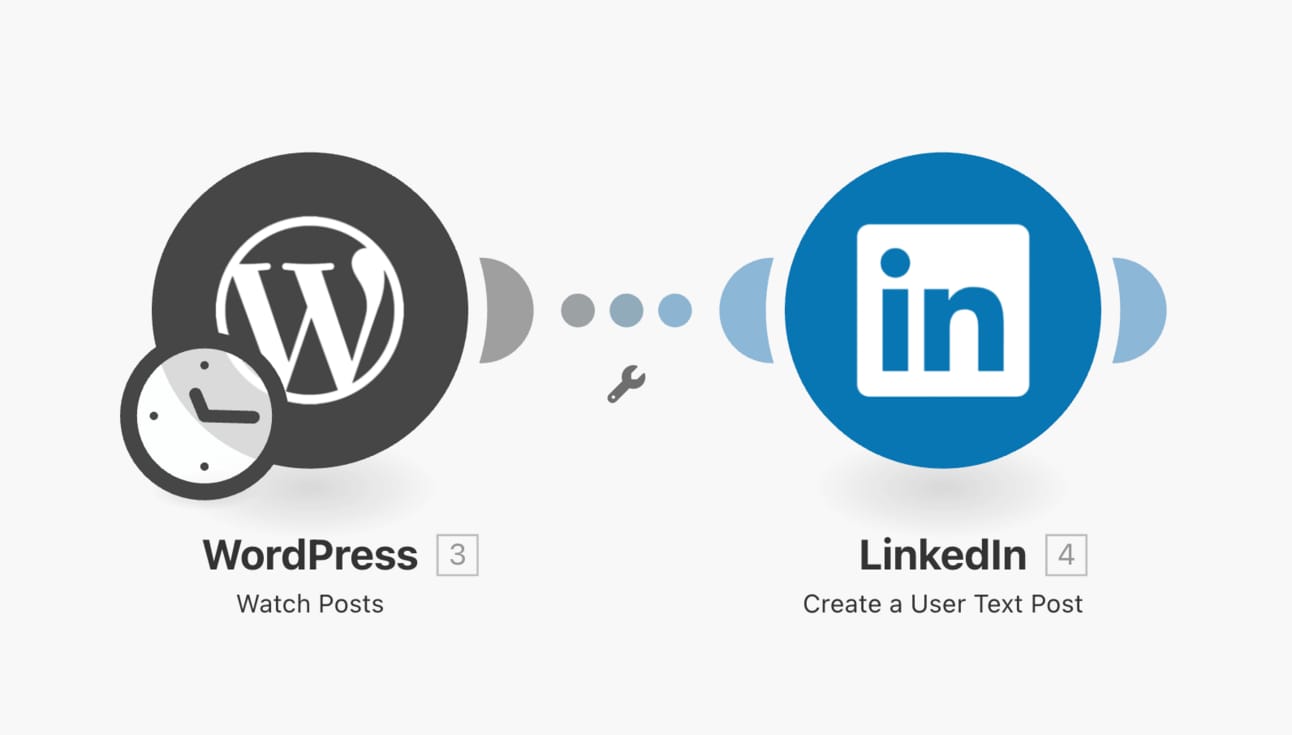
But with AI we can make this automation much better. And when I say ‘AI’ I’m talking about ChatGPT. You can use the same capabilities that ChatGPT has in your automation workflow.

So instead of just having a post on LinkedIn with “New blog post live!” you can automatically create an attention-grabbing summary of the blog post you made to go along with your LinkedIn post.
Now this is of course a very basic and brief introduction, but there are tons of things you can automate. Once you get the hang of basic automations you’ll learn that there is so much to automate to win back tons of time.
But it doesn’t end here. Now it’s time go more in-depth and for you to start automating your own work by following this guide:
Next week I’ll include more guides on how to automate with AI, and work out some of my favorite use cases that you can implement as well.
Questions or need help? Happy to help out, just reply to this email.

Last week Google released Gemini Advanced and while I’m not super impressed—it does have one pretty amazing feature.
The ability to ‘chat’ with Youtube videos.
Picture this: you want to know something that is covered in a Youtube video, but it’s an hour long and you have no clue where it’s mentioned in the video. Those days are over.
Here’s what to do instead:
Paste the link of the Youtube video and ask what you would like to know
Instantly get an answer to your question

Sometimes this work with the basic version, but it always works with Gemini Advanced.
You can try out Gemini Advanced 2 months for free. The model is comparable to GPT-4 (the paid version of ChatGPT), so it’s a pretty good bargain.

🛠️ New tools:
Typeframes - Create eye-catching apple-like videos for your product, in minutes (sorry this link didn’t work last week!)
Scribe - Create beautiful how-to guides and SOPs in seconds.
Mindy - Your email-first Chief of Staff (received $6M in funding!)
Ava - Hire an AI BDR that takes care of the end-to-end cold email sales process.
Opus - turn one long video in 10 viral clips instantly - now updated with even more features.
📚 New guides:
📰 News highlights:
OpenAI is introducing a "memory" feature for ChatGPT to remember your preferences and conversation details.
Nvidia (who makes all the AI chips) now worth more than Alphabet and Amazon.
Sam Altmans seeks trillions for new AI chip project.
Do you want more AI news? Then subscribe to AI Tool Report—covering the latest AI developments daily. Prefer more essay-like news on where AI is headed from a genius? Then subscribe to agent.ai by Dharmesh, founder of Hubspot.

What did you think of this email?
You can add more feedback after choosing an option, or you can reply to this email directly. Give it to me straight.
What did you think of today's newsletter? |
Enjoyed this newsletter? Forward it to a friend and have them sign up here.
See you next Thursday!
p.s. if you have any requests or questions then also feel free to reply to this email. I’ll answer everything!
— Jerry